
Recording Non-attendance
For many organisations the focus of their registers on Upshot will be to simply record who turned up to a particular session. For other organisations there may be merit in also recording those who were expected to attend, but did not.
Recording Non-attendance can allow organisations to accurately track sessions where actual participants differs to expected, as well as keeping tabs on those individual attendees who frequently miss sessions.
It can also provide an opportunity to have a register set up more like a school, with everyone's name shown and users identifying those that did not show.
Monitoring, Evaluation and Learning Matters 💡
Tracking Non-attendance can help you spot patterns in who is missing sessions and understand why. Over time, this can also help you see whether attendance is linked to the outcomes people achieve.
Recording Non-attendance
Non-attendance is recorded on the register for each attendee.
Within a register users have the option to state the Attendance level of an attendee.
- Options of Full, Most, Half, Less than Half indicate that someone has attended the session and how much.
- Options of Unknown and Non-attendance keeps this person on the register but indicates the attendee did not attend that particular session.
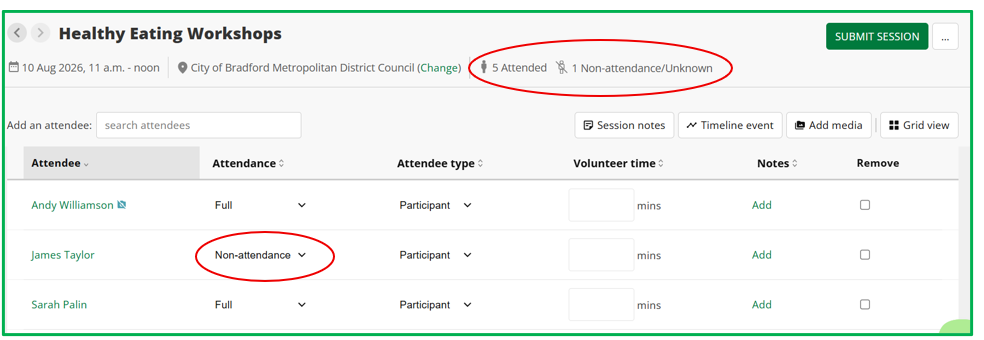
The above session indicates that James was expected to attend the Healthy Eating Workshops but did not. Of the 6 names on the register only 5 are marked as attending , and only these 5 will count in reports concerned with how many people attended this particular session.
Non-attendance displayed throughout the system
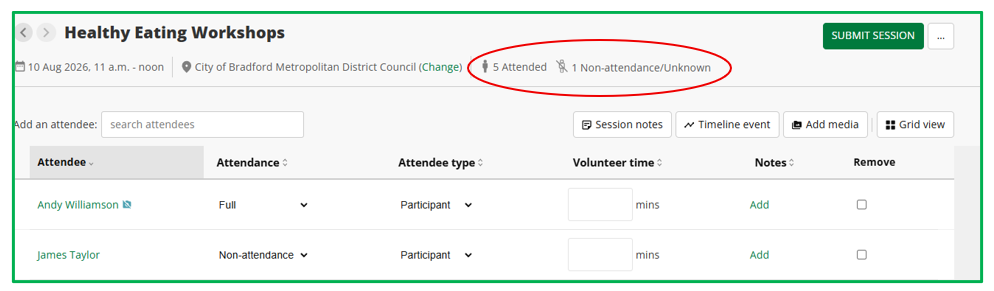
Sessions where attendees are displayed on the register but have not attended a session will be indicated visually.
As indicated above this will be shown within the register itself, but will also be displayed in other areas.
Within the register:
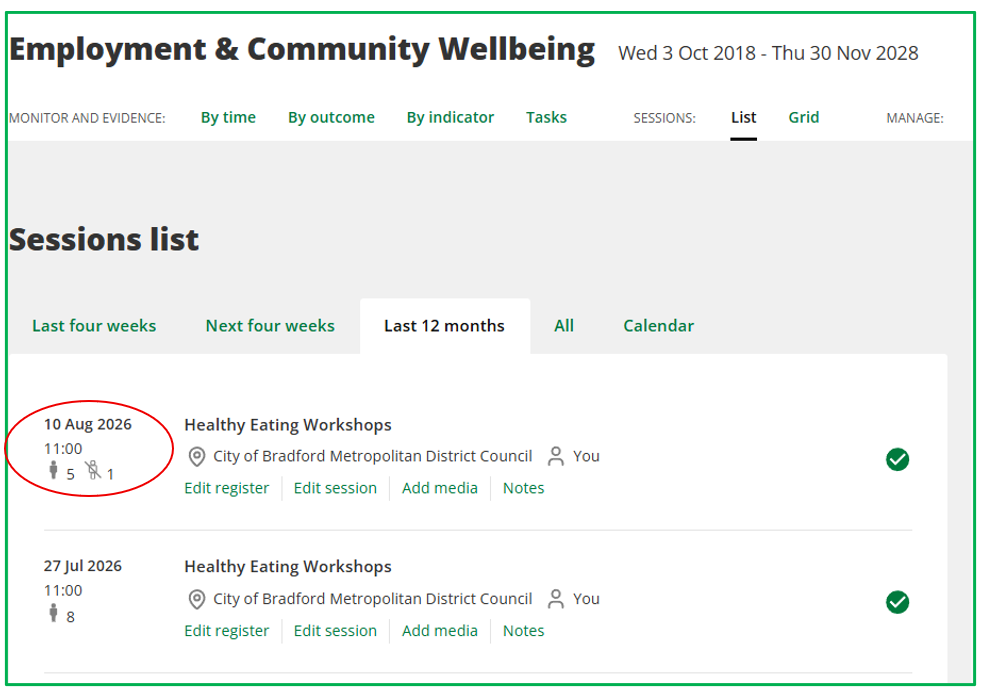
On the Sessions: List and the Homepage:
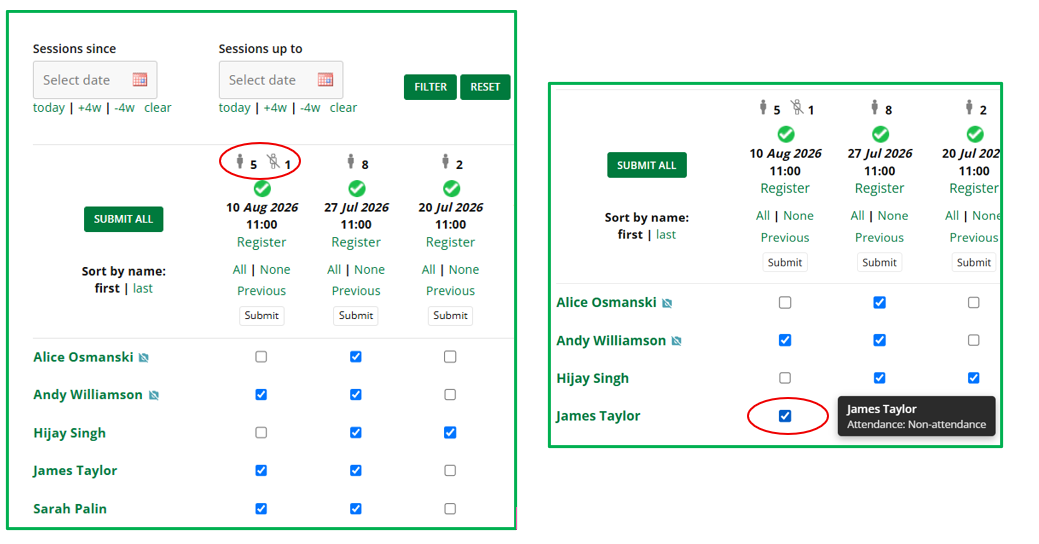
On the Sessions: Grid
When hovering over the tick box this will indicate the level of Attendance for an individual.
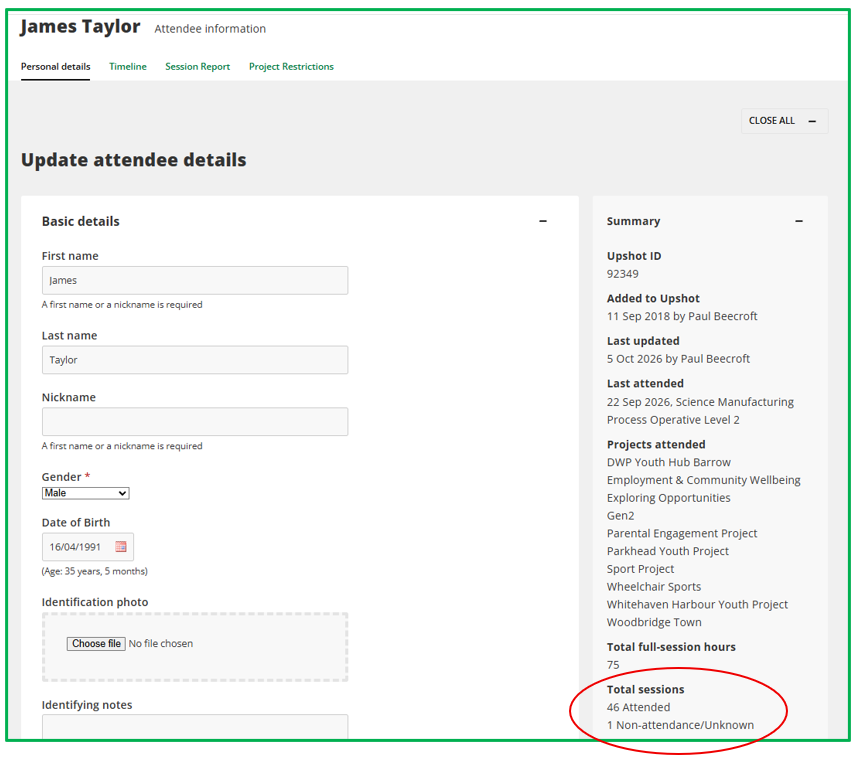
On the Attendee Profile:
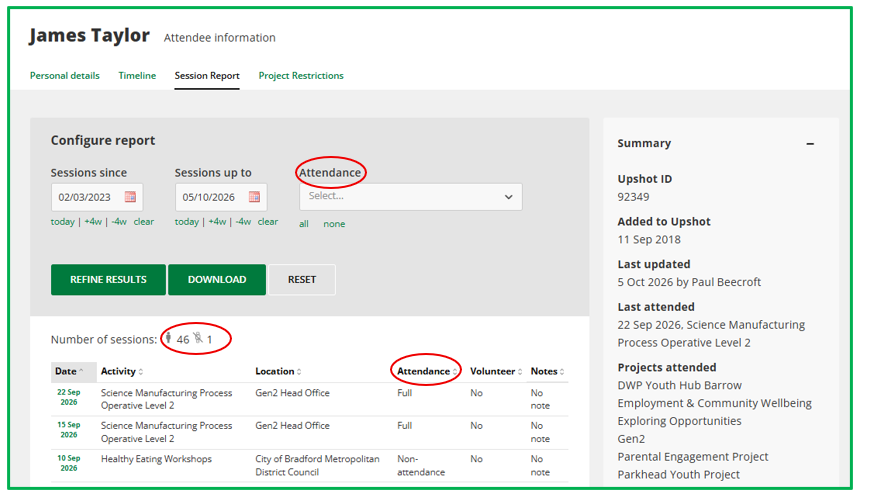
On the Attendee Session Report:
On the Session Report users can view the number of sessions not attended, but also sort or filter by this criteria.
Reporting on Non-attendance
Attendees on registers who are marked as either 'Non-attendance' or 'Unknown' will not factor into any of the reporting tools focused on attendance. For example:
- Statistics Report - the count of attendees, attendances and contact hours is only related to individuals who are identified as attending a session and will not include those marked as 'non-attendance' or 'unknown'.
- People Report - when selecting filters to do with attendance, either by selecting elements under the 'Sessions' or 'Sessions Location and Date' sections this will only consider those attendees on registers that are not marked as 'non-attendance' or 'unknown'. The specific filter of Attended sessions > Yes will only consider those that are not marked as 'non-attendance' or 'unknown' on registers also.
- Attendance Export - this report will only export information on those attendees that are not marked as 'non-attendance' or 'unknown'.
Reporting on Non-attendance can be achieved at an individual attendee level by visiting the attendee's profile to see the number of sessions they have not attended. Their Session Report also then gives a way of filtering or focusing specifically on sessions where the attendee has been marked as 'Non-attendance' or 'Unknown' with this information viewable on screen or users choosing to download.